For med students
Turn tonight's lecture into practice questions and the right AnKing cards.
Upload your slides as a PDF or PowerPoint, and the transcript if you have it. You get board-style questions written from those slides, each one cited to its slide, and the AnKing cards that cover the lecture, ready to unsuspend.
Try a sample lecture before you upload anything.
How it works
- 1
Upload the lecture
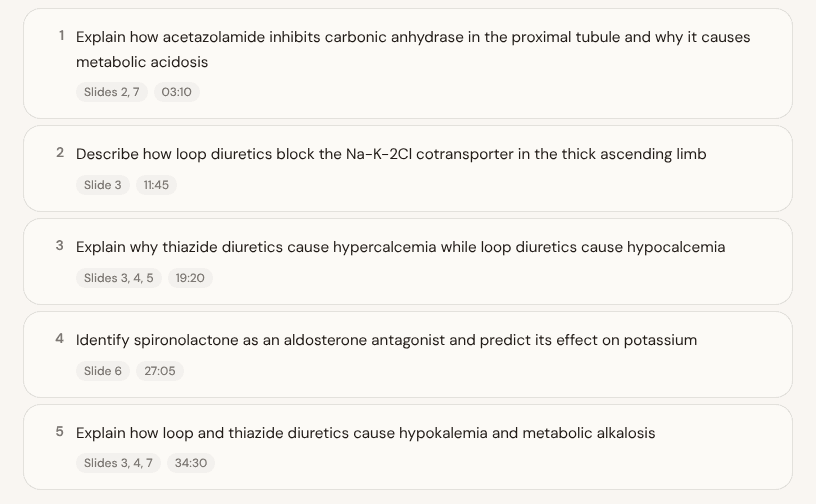
Your slides as a PDF or PowerPoint (speaker notes included), plus the transcript if you have it. MedCoach pulls out the learning objectives and ties each one to the slide or minute it came from.
- 2
Practice questions written from your slides
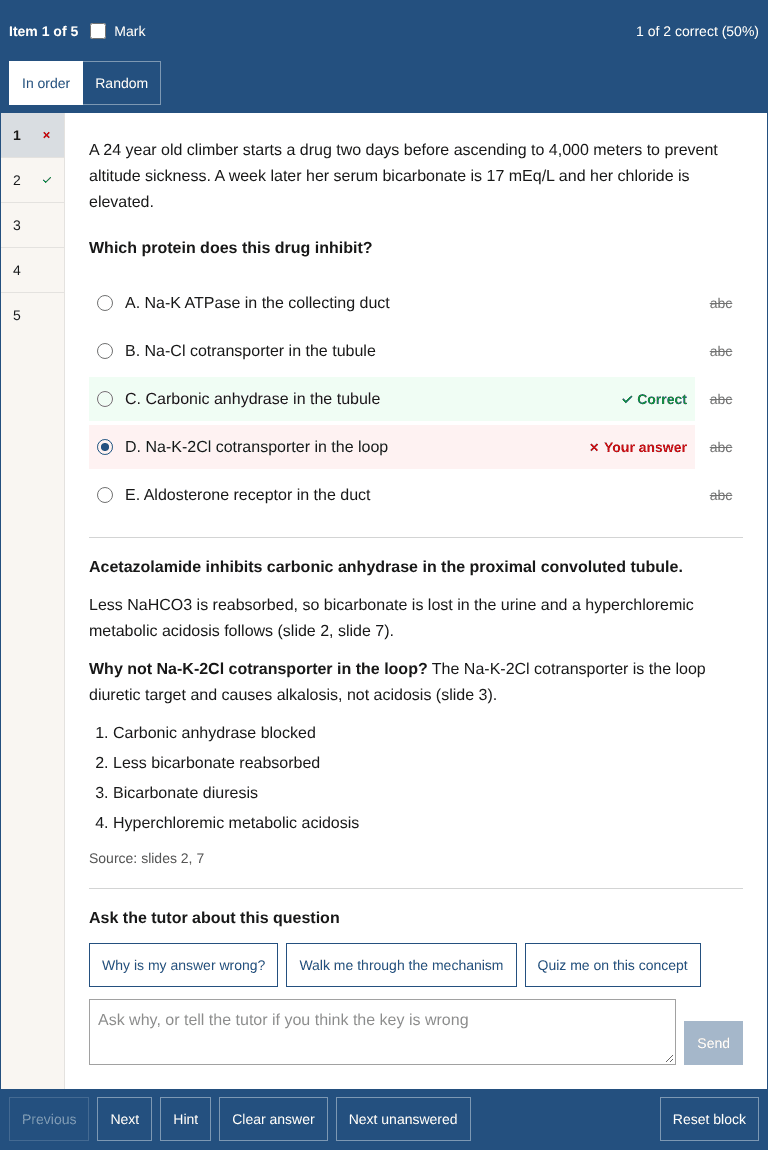
Exam-style vignettes, one objective at a time. Every explanation cites its slide, and a question your slides cannot back up is dropped. Ask the tutor why an answer is wrong, or tell it the key is wrong and it checks the slides. Missed questions come back in Review.
- 3
Unsuspend the right AnKing cards
MedCoach reads the tag list from your own Anki through AnkiConnect, matches tags to each objective, and unsuspends the ones you check in one click. Card content never leaves your computer; only tag names do.
Your material stays yours
- Your answers and your name are never shown to other students.
- AnKing cards stay in your own Anki. MedCoach never stores or shares them.
- Card matching needs desktop Anki with the AnkiConnect add-on. Changes sync to AnkiMobile and AnkiDroid through AnkiWeb.
$15 a month, or $120 a year.
The yearly plan works out to $10 a month. Paid plans open soon.
Every new student gets a free trial of up to 30 days first, no card needed.